


Comfort Within Reach
Phone Stand + Detachable Bluetooth Remote
✓Stay Cozy. Scroll Without Reaching
✓Your Phone Rests. You Unwind
✓The Next Video. One Button Away
✓Small Upgrade. More Comfortable Evenings
Couldn't load pickup availability
You finally settle beneath your blanket, then reach out again for the next video. Framora™ keeps scrolling control in your hand, while your phone rests on its stand. On compatible devices and apps, a button press lets you move through content without touching the screen each time.
Check your phone model, software version, supported apps, and phone dimensions before ordering. Bluetooth pairing alone does not guarantee every function will work. A bulky case may also affect how your phone fits in the holder.
Shop with peace of mind.If Malvoura Framora™ Precision Capture Grip is not right for you,you can return it easily within our return period.
Stop Reaching. Stay Comfortably Scrolling.
After a long day, you finally sink into the sofa for a little time to yourself.
But every swipe means reaching out from your blanket or shifting your phone again.
Framora™ Precision Capture Grip brings Bluetooth scrolling control into your hand on compatible devices.

Set your phone on its stand, settle back, and move through videos with a button press.
Keep your hand tucked beneath your favourite blanket.
Let the stand hold your phone while you unwind.
Enjoy your downtime with fewer reaches between videos.
Stay in the comfortable position you finally found.
Make your evening feel a little more yours.

Give your well-earned downtime a little more comfort.
Check compatibility and bring Framora™ into your evening routine.


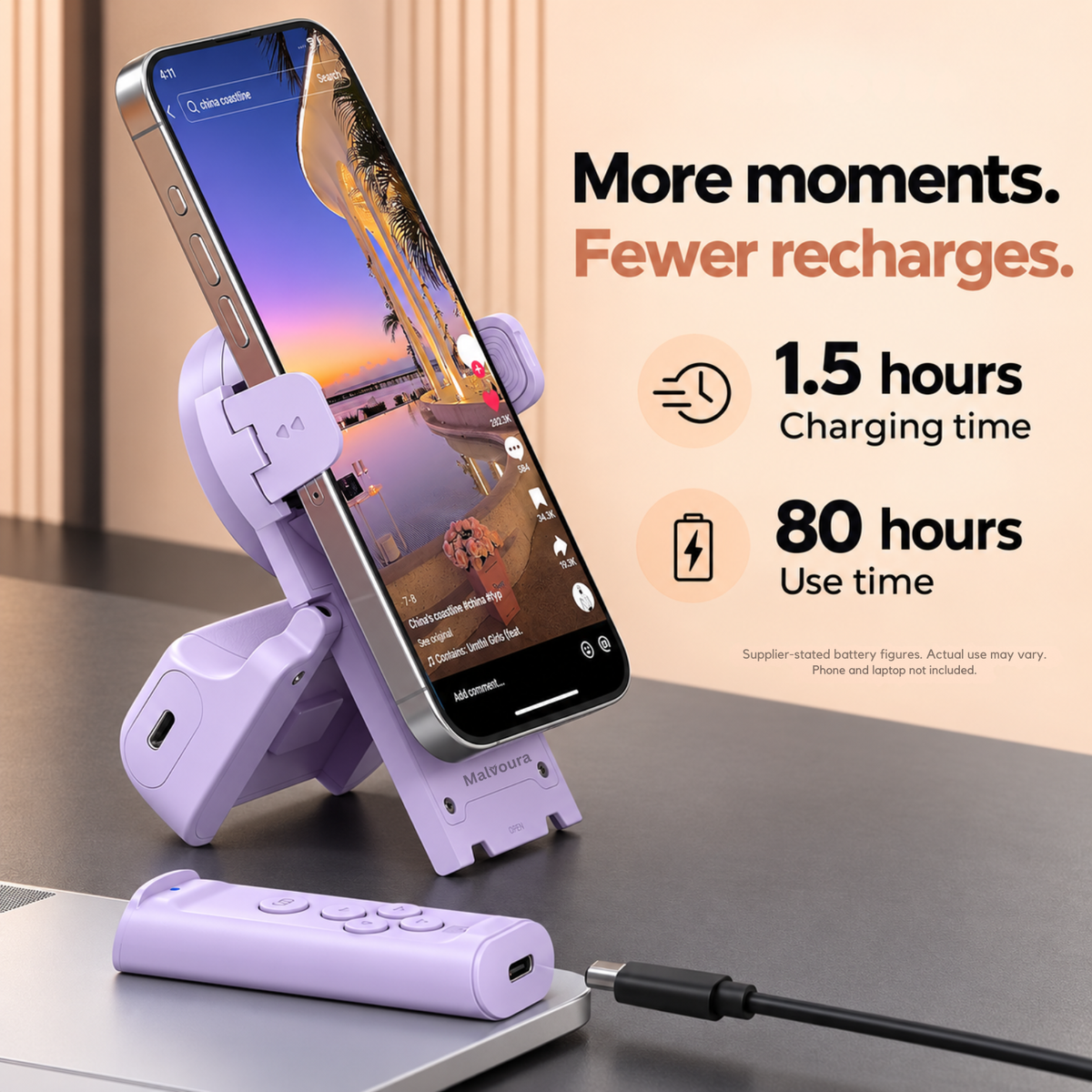
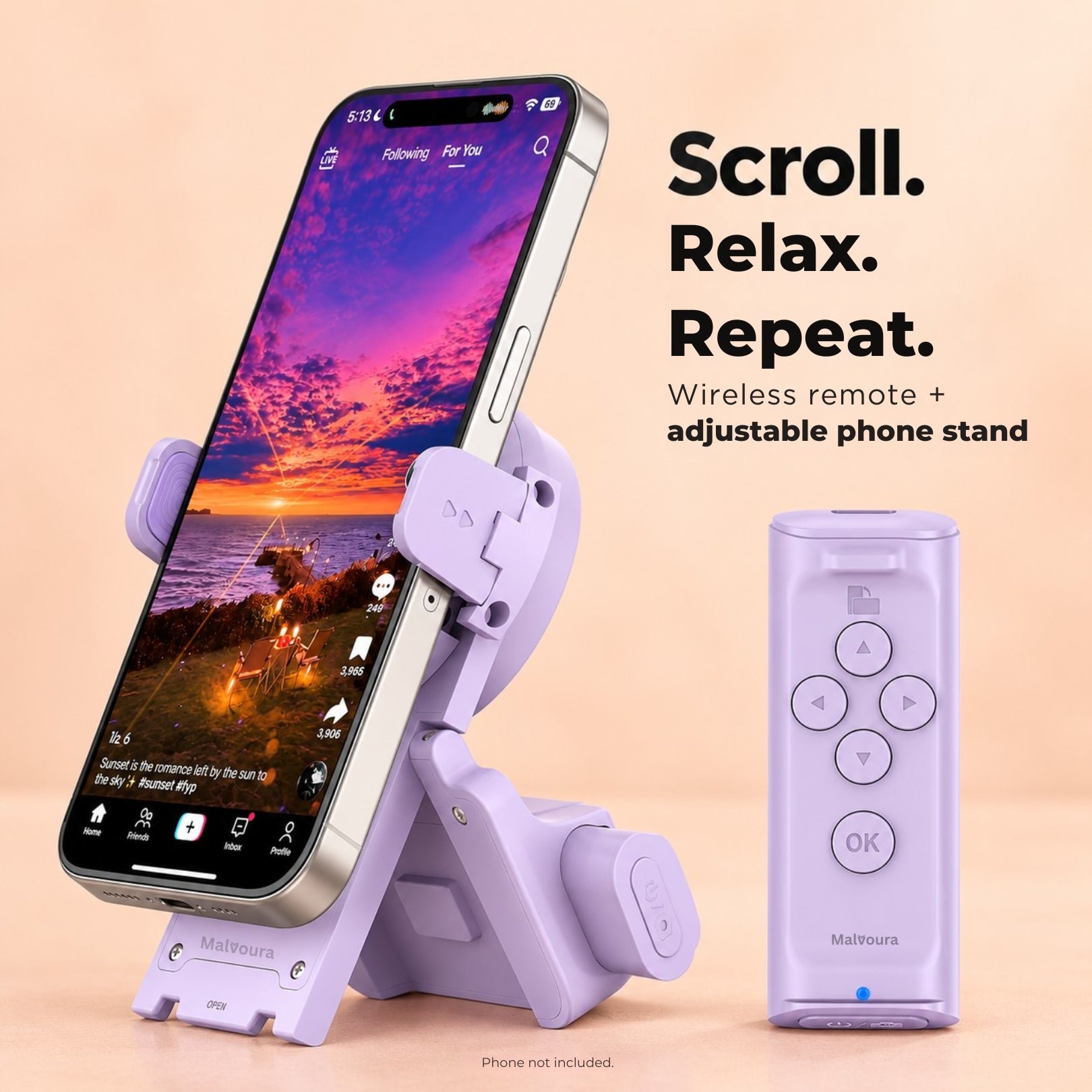

Phone Stand + Detachable Bluetooth Remote
Set your phone down and settle into your favourite spot. Framora™ combines a phone stand with a detachable Bluetooth remote, bringing supported scrolling controls into your hand. Less reaching between videos. More comfort in the moment you finally have to yourself.

A simple change to your everyday scrolling setup. Your phone stays supported, and the next video is within easy reach.

|
Generic | |
|---|---|---|
Scroll with a remote button |
||
Let the included stand hold your phone |
||
Keep your remote hand beneath the blanket |
||
Stay settled between videos |
||
Turn pages with remote controls |

Your Blanket Stays Wrapped Around You.
You’ve finally warmed up and found your favourite spot. Keep the remote beneath your blanket and move through videos on supported apps with a button press. Stay tucked in without reaching out for every swipe.
—Alina

Your Phone Finally Has Its Place.
Give your phone a place to rest while you settle back. The stand supports your screen, and the detachable remote keeps scrolling controls nearby. A practical setup for the sofa, bedside table, or a quiet break.
—Nola

Your Next Chapter Stays Within Reach.
Set your device in a comfortable viewing position and keep page controls close at hand. With a supported reading app, Framora™ lets you turn pages without touching the screen each time. Check app compatibility before ordering.
—Idris

Your Camera Waits Until You’re Ready.
Get into the frame before taking the shot. On supported camera setups, the remote lets you trigger the shutter from your position. A useful extra for outfit pictures, everyday memories, and moments you want to be part of.
—Alistair
At Malvoura, we believe everyday comfort deserves attention. Framora™ brings a phone stand and remote controls together for the moments you spend watching, reading, and capturing. A practical little addition to the routines you already enjoy.
Keep supported scrolling controls nearby while your phone stays in position.
Move through videos on supported apps without reaching to swipe each time.
Let the stand support your phone while you find your comfortable spot.
Explore page turning and camera controls on compatible devices and apps.
Keep supported scrolling controls nearby while your phone stays in position.
Let the stand support your phone while you find your comfortable spot.
Move through videos on supported apps without reaching to swipe each time.
Explore page turning and camera controls on compatible devices and apps.
FAQs
Scrolling support depends on your phone, software, app, and settings. Check the compatibility information for your exact setup before ordering. Some devices may need additional configuration, and successful Bluetooth pairing does not mean every control is supported.
Compare your phone’s dimensions, including its case, with the holder’s stated fit range. Thicker or oversized cases may affect the fit. Your phone should sit securely without forcing it into the holder.
Follow the included instructions to turn on the remote, pair it through Bluetooth, and configure any required settings. Test the controls in your chosen app before settling in. Setup steps can differ between devices.
1. Turn on the remote
Press the remote button to turn it on.
2. Open Bluetooth on your phone
Go to Settings → Bluetooth and turn Bluetooth ON.
3. Connect the remote
Look for “TK-PRO” in the available devices and tap it to connect.
4. Enable the required setting
Go to Settings → Accessibility → Zoom and turn Zoom ON.
5. Start using it
Open TikTok, Instagram, your e-book, or Camera and use the remote to control your phone
Framora™ offers page-turning and camera-shutter functions on supported setups. Available controls depend on the device and app. Check compatibility for each function you intend to use, rather than assuming all apps work the same way.
The difference is where your hand can stay. With your phone supported and the remote nearby, you can move through content without touching the screen each time. It’s a small convenience for reading, resting, or staying tucked beneath a blanket.

Your phone has its place. Your scrolling controls stay close. Framora™ brings both together so you can settle into watching, reading, or capturing without holding your device for every interaction
Wipe the stand and remote with a soft, dry cloth. Keep electronic components away from water and follow the supplied charging instructions. Avoid forcing the holder or detachable remote, and store both safely between uses.
Position your phone securely in the stand. Turn on the remote and follow the included Bluetooth pairing instructions. Configure any settings required for your device, then test the controls in a supported app. Once ready, keep the remote within easy reach and settle back.
For the Moment You Finally Sit Down.
Place your phone on a stable surface using the stand. Keep the remote nearby and use supported controls to move through content. Less reaching between videos, with your screen positioned where you want it.
One Accessory. More Everyday Uses.
Scroll through supported apps, turn pages in compatible reading apps, or trigger a supported camera shutter. Framora™ brings useful controls into your hand for different moments throughout your day.